 Kerim Koç

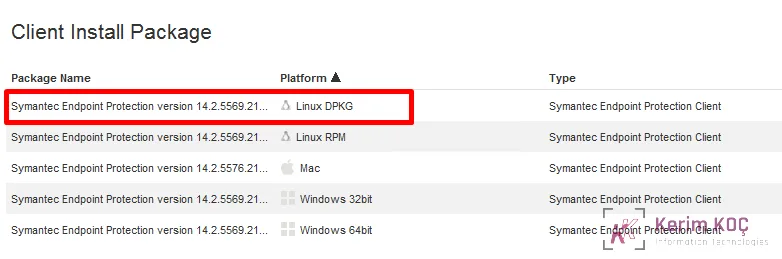
First, let's download the relevant DPKG package from the Symantec antivirus server as shown below.
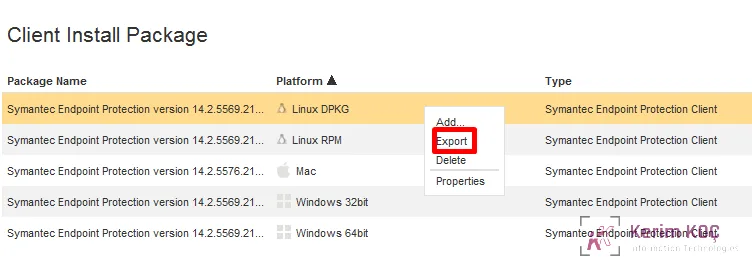
Then we perform the export operation.
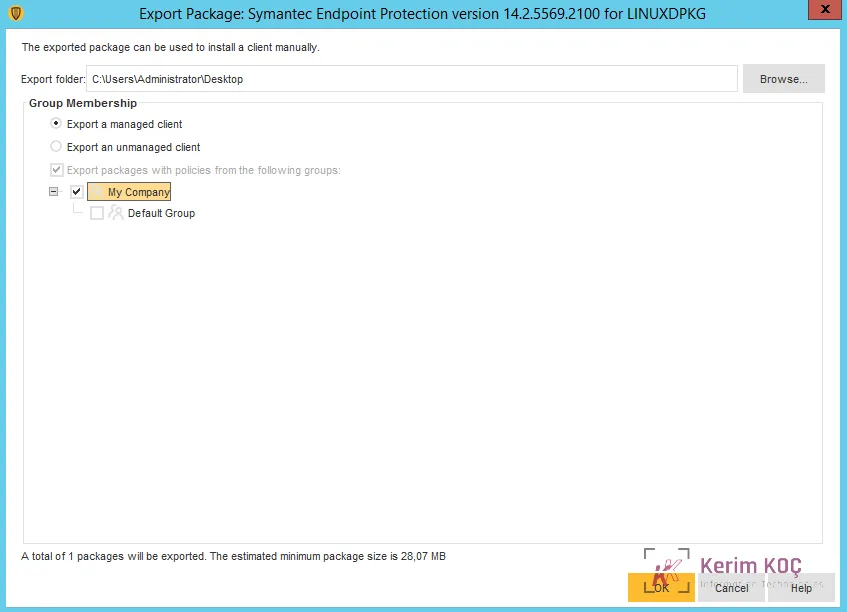
After downloading the package, we place the .zip file in the /tmp/ folder.

Then we run the following commands in order.
cd /tmpsudo dpkg --add-architecture i386; sudo apt-get updatesudo apt-get install libc6:i386 libx11-6:i386 libncurses5:i386 libstdc++6:i386sudo apt-get install unzip lib32ncurses5 lib32z1sudo unzip -d sep SymantecEndpointProtection.zipcd sepsudo chmod 777 install.sh pkg.sigsudo ./install.sh -icd /opt/Symantec/symantec_antivirus./sav info -pThe process is complete; you can now check the client side of your Symantec antivirus server.


