 Kerim Koç

If you are thinking of changing the control panel you use, the free (Linux) Vesta Control Panel with its extremely simple and clear interface is a great alternative. Installing and using Vesta is quite quick and simple. You can install it and start using it within a few minutes. The best thing about Vesta is that it is completely free. It supports RHEL, CentOS, Debian and Ubuntu.
The only paid feature is the file manager, which is offered as an add-on. You can also use the file manager by paying a reasonable fee: $3 per month or $18 for a lifetime license.
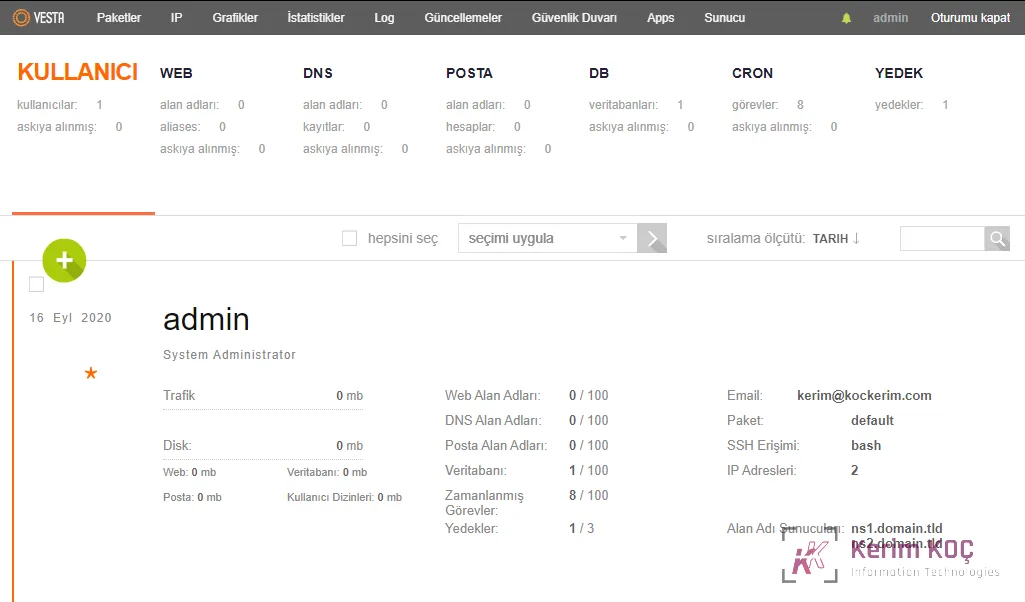
Key Features
| Web serverDNS serverDatabase serverMail serverFTP Server | NginxSSL certificate and SNIWildcard supportConfiguration templatesDKIM support | Fast backupsEasy update managerSystem monitoringAntiSpam / AntivirusWHMCS billing support | A simple and clean interfacePowerful CLI and APISecure platformGPL v3 licenseAutomatic updates |
Detailed Features
- Nginx web server
- Apache web server as the application backend
- Exim mail server
- SpamAssassin antispam solution
- ClamAV antivirus engine
- Dovecot IMAP/POP3 server
- VsFTPD FTP server
- MySQL database server
- PHP support
- Webalizer website log analysis tool
- AWStats website log analysis tool
- RoundCube modern webmail
- phpMyAdmin MySQL administration tool
- RRDtool system graphs
- Backup/Restore
Optional Features
- PostgreSQL database server
- Proftpd alternative FTP server
- Python programming language support
- Monit proactive monitoring tool
- SquirrelMail alternative webmail client
- phpPgAdmin PostgreSQL database administration tool
Installing Vesta
The installation is quite simple. You can complete the installation and start using it within 5 minutes.
# First, connect to your server via SSH.
ssh root@sunucuadresi# Let's fetch the installation file we need with curl.
curl -O http://vestacp.com/pub/vst-install.sh# Now let's run the file.
bash vst-install.shThis way, we have completed the installation with the default components.
Customizing the Installation
It is possible to customize the Vesta installation. The developers have prepared a great component selection tool at https://vestacp.com/#install that makes your job easier.
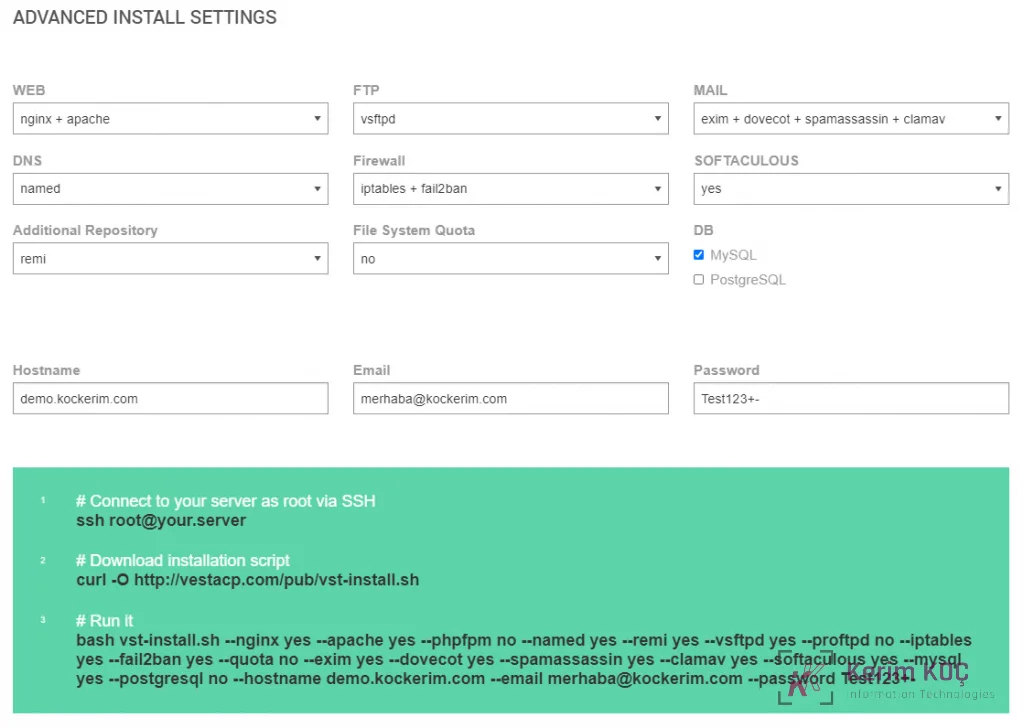
- # Connect to your server as root via SSHssh root@your.server
- # Download installation scriptcurl -O http://vestacp.com/pub/vst-install.sh
- # Run itbash vst-install.sh –nginx yes –apache yes –phpfpm no –named yes –remi yes –vsftpd yes –proftpd no –iptables yes –fail2ban yes –quota no –exim yes –dovecot yes –spamassassin yes –clamav yes –softaculous yes –mysql yes –postgresql no –hostname demo.kockerim.com –email merhaba@kockerim.com –password Test123+-


