 Kerim Koç
This short tutorial shows students and new users how to install and set up printers on Ubuntu 20.04 | 18.04.
If you need to install a local desktop printer on Ubuntu, the guide below should be a great place to start. You will learn how to easily add printers to your Ubuntu desktop.
Ubuntu and Linux as a whole have come a long way. Ubuntu can now recognize many printer brands with the drivers already installed and ready to use.
Since most printers connect over USB, installing printers on Ubuntu and other Linux operating systems has become much easier.
Once a printer is connected and set up correctly, you will be able to print to it directly from Ubuntu with ease.
Ubuntu has also made setting up network printers easier by placing the setup wizard in the same window. Previously, setting up a network printer was a separate page.
Follow the steps below to connect and set up a local printer on Ubuntu.
- Make sure the printer is turned on when you connect the USB cable to your Ubuntu desktop.
- When the printer is connected, you may see activity on the screen as the system searches for drivers, and you may be asked to authenticate by typing your password to install them.
- A message will appear when the system finishes installing the printer. Select Print Test Page to print a test page, or Options to make additional changes to the printer setup.
If the step above did not work and Ubuntu could not install the printer, follow the steps below.
- Open Activities in the top-left corner of your screen to bring up the overview, then start typing Printers .
- Click Printers in the overview screen
- Click the Unlock button in the top-right corner and enter your password to authenticate. Only administrators on the Ubuntu machine can add printers. If you are not an administrator, please contact one.
- Click the + button.
- In the window that opens, select your new printer. Click Add .
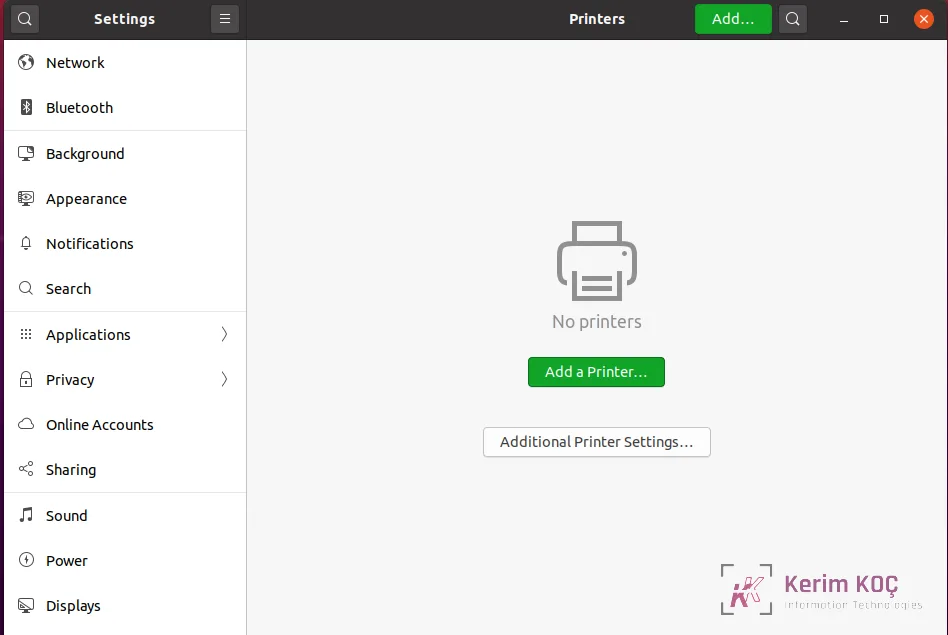
Doing this will install your printer on Ubuntu.
If you still cannot install your printer, you may need to install the printer drivers from the manufacturer's website.
Conclusion:
This post showed how to set up printers on Ubuntu 20.04 | 18.04. If you find any errors above, please use the comment form below to report them.


