Kerim Koç

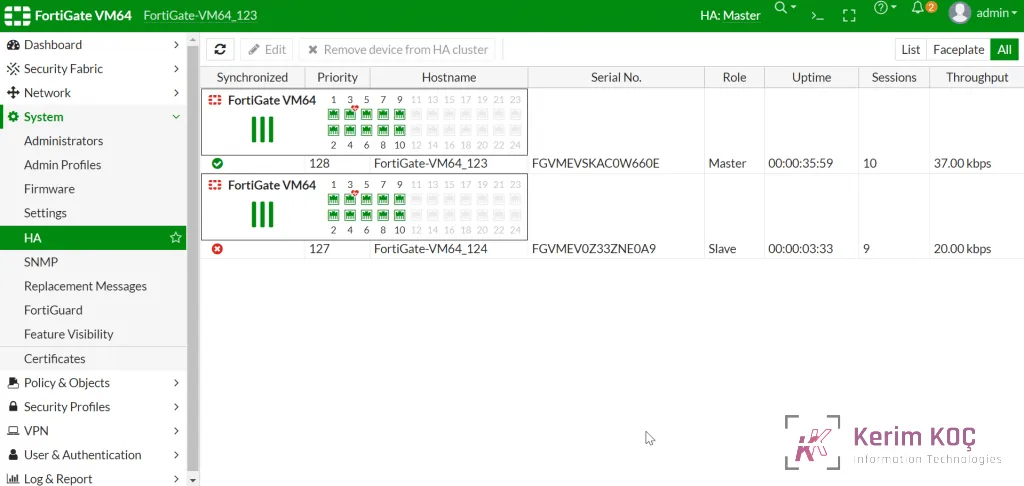
This article shows how to configure HA Active-Passive on two FortiGate firewall devices, where one device acts as the Primary and the other as the standby. If the Master fails, the Slave takes over until the Master is restored.
The article was configured on version 6.2.5
Requirements
Before adding them to the HA cluster, both devices must run the same FortiOS version and, if applicable, have an active license.
How to configure
Configure the first FortiGate as the Master
On the FortiGate Master device, go to System -> Settings and change the hostname (this step can be skipped)
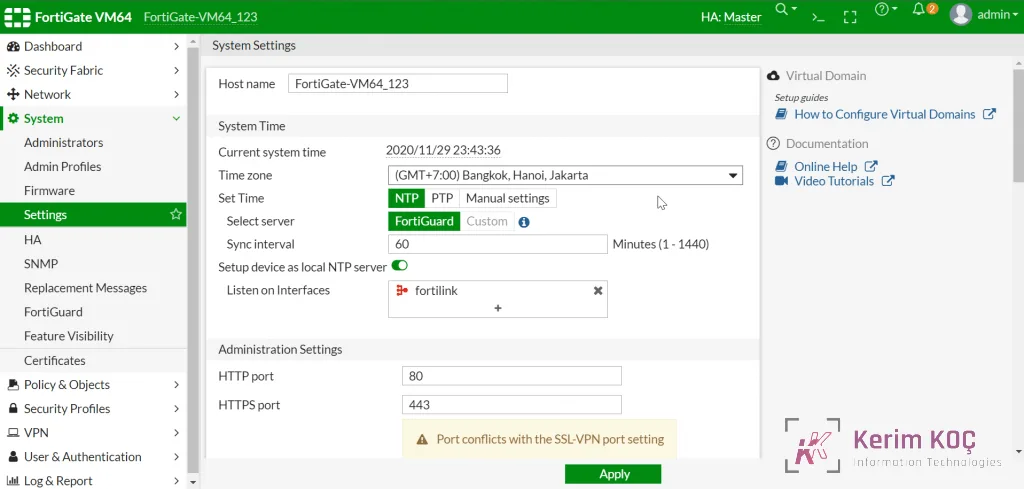
- Go to System > – HA
- In Mode : Select Active-Passive
- In Device priority : Set the device priority. The device with the highest priority will be the Master (Primary), and the device with the lower priority will be the Slave
- In Group name : Enter a name for the group (it must be set identically on both devices)
- In Password : Set a password for the group to authenticate the HA members
- In Heartbeat interfaces : Select the network port you want to use for HA so that the two devices synchronize with each other (select port 3 here)
-> Click Save
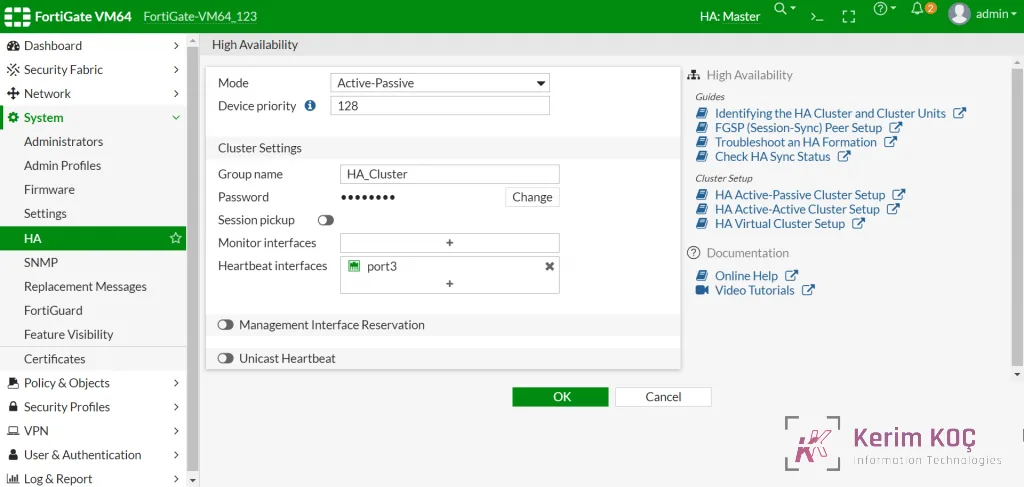
Use a similar configuration for the Slave device, with a lower device priority than the Master
- After HA is configured