 Kerim Koç

Slack is a popular cloud-based team collaboration tool. It is a new kind of messaging platform that brings all of your team's communication together in one place.
You can visit slack.com to create your team account for free. The free plan provides limited features but is quite useful for a small team. Upgrade to the paid version to use the advanced features.
This tutorial will help you install Slack on an Ubuntu 20.04 desktop system.
Installing Slack on Ubuntu
You can choose one of the following methods to install Slack on Ubuntu. Install Slack using the Snap package or the Debian package.
- Install Slack with the Snap packageSlack is available as a snap package for installation on Ubuntu. It is distributed and maintained by Microsoft.Snap packages can be installed from the command line or through the Ubuntu Software application.Open a terminal on your system and type:
sudo snap install slack --classic - All done. Slack has been installed using the Snap package.
- Install Slack with the Debian packageYou can also install Slack with the Debian package.Go to the official Slack download page . Then download the Slack Debian package to your system.Once the download is finished, open a terminal and run the following command to install Slack on the Ubuntu system.
sudo dpkg -i ~/Downloads/slack-desktop-*.deb All done. Slack has been installed using the Debian package.
Open the Slack Application
The Slack application launcher will be found under All Applications. Go to the Activities corner and click the Show Applications icon.
Then search for "slack". You will see the launcher as follows:
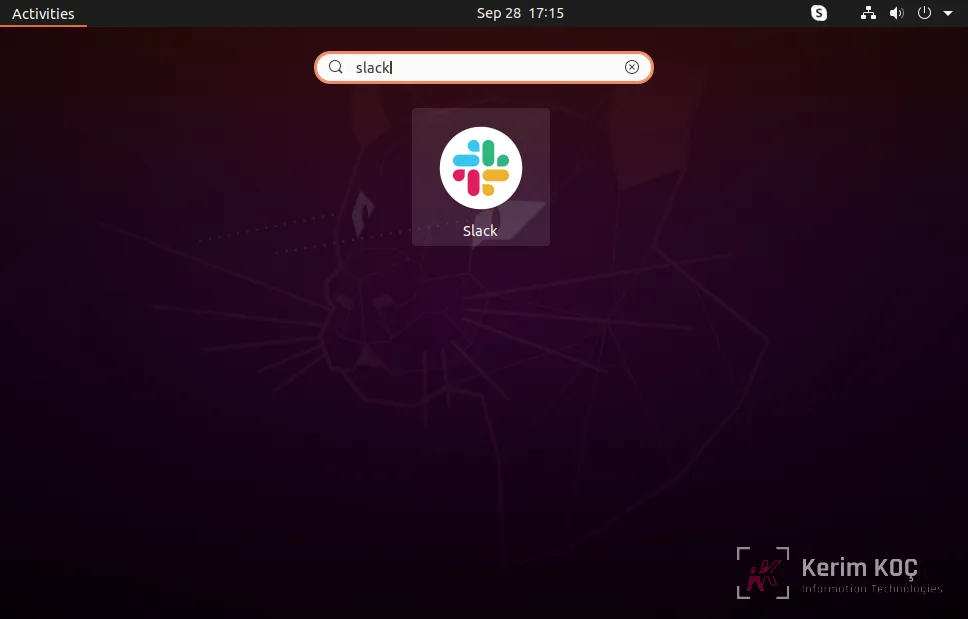
Click the launcher icon to open the Slack application on Ubuntu systems.

Conclusion
In this tutorial, you learned how to install the Slack desktop application on an Ubuntu 20.04 LTS Linux system.


